 Nederlands



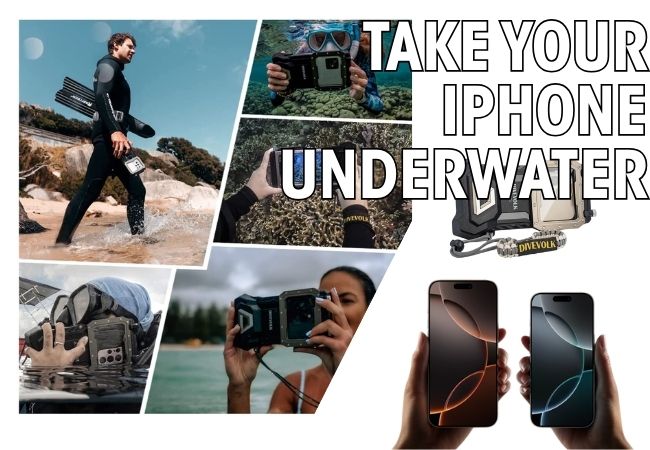
Want to take photos or record videos with your iPhone while snorkelling or scuba diving? Although modern iPhones are water-resistant, they are not designed for prolonged underwater use without a suitable housing.
An underwater iPhone housing protects your phone at its rated depth while allowing you to operate the camera. This article explains what to look for, which iPhones are compatible and what to consider before diving.
Which underwater iPhone housing is suitable for diving?
An iPhone can be used for underwater photography and video when protected by a housing designed for the intended depth. The housing must fit the phone and allow access to its camera controls.
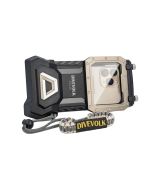
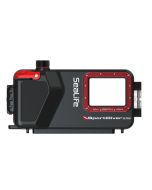
Whether you are snorkelling or scuba diving, check the depth rating, phone compatibility and control system. DIVEVOLK SeaTouch 6 Pro and SeaLife SportDiver Ultra are two housings designed for underwater smartphone photography.
Why does an iPhone need a waterproof housing?
Modern iPhones have an IP67 or IP68 water-resistance rating, depending on the model. These ratings are based on laboratory testing in fresh water. They do not mean that an unprotected iPhone is suitable for scuba diving.
Salt water, pressure, impacts and wear can affect water resistance. Apple advises against intentionally submerging an iPhone. A dedicated underwater housing provides a sealed enclosure designed for use at its stated depth rating.
Without suitable protection, underwater use can result in:
- Water damage to the iPhone and its camera components.
- Problems operating the touchscreen beneath the surface.
- Condensation affecting photographs and video recordings.
A waterproof phone pouch may be sufficient for splashes or certain surface activities, depending on its rating. For diving, use a housing specifically designed and tested for the intended depth.
How can you control an iPhone camera underwater?
A standard iPhone touchscreen is not designed for direct use beneath the surface. An underwater housing must provide a way to operate the camera, either through a pressure-sensitive screen or physical buttons.
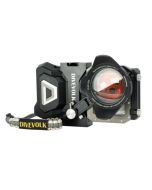
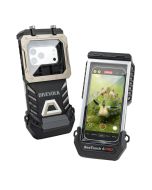
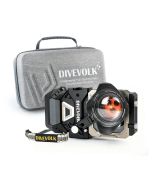
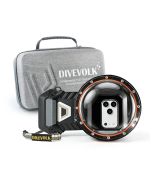
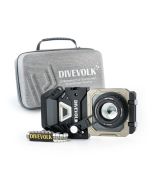
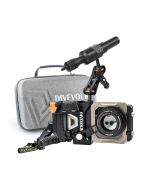
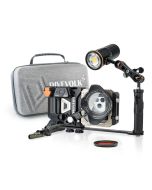
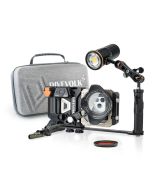
The DIVEVOLK SeaTouch 6 Pro uses a flexible membrane that allows touchscreen operation underwater. You can use the iPhone's native camera app and supported third-party apps. The housing has a maximum rated depth of 60 m.
The touchscreen also allows you to use normal phone functions while the iPhone remains inside the housing. Once back at the surface, you can even make a phone call without opening it. This can be particularly useful in an emergency, provided mobile reception is available.
The SeaLife SportDiver Ultra uses physical controls and the SportDiver camera app. It is rated to 40 m. Both systems require checking that your exact iPhone model is compatible before use.
Which iPhone models fit the SeaTouch 6 Pro?
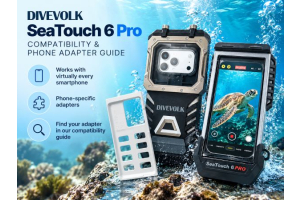
The SeaTouch 6 Pro supports many iPhone models, including standard, Plus, Pro and Pro Max versions. However, different iPhones have different dimensions and camera layouts, so the correct adapter is needed for each supported model. A phone-specific adapter is not included with the SeaTouch 6 Pro housing. Check your exact iPhone model in our SeaTouch 6 Pro phone compatibility and adapter guide. The guide lists supported smartphones and their corresponding adapter codes.
Adapters for the older SeaTouch 4 Max Plus are not interchangeable with those for the SeaTouch 6 Pro. Always use the adapter specified for your housing model.
The SeaLife SportDiver Ultra uses a different phone-fitting system. Its compatibility also depends on the physical dimensions of the iPhone and support within the SportDiver app.
How well does an iPhone camera perform underwater?
Recent iPhones can record high-resolution photographs, 4K video and slow-motion footage. Depending on the model, additional features may include RAW photography, different focal lengths and manual exposure controls through compatible apps.
The SeaTouch 6 Pro allows touchscreen access to supported iPhone camera functions. You can adjust settings such as focus and exposure, switch between available camera modes and review recordings without removing the phone from the housing. Actual underwater results depend on more than the iPhone camera. Water absorbs light, reduces contrast and affects colour. Visibility, subject distance, available light and camera stability all influence photographs and video. At greater depths, natural light becomes weaker and red tones are progressively absorbed. This is why underwater photographs can appear blue or green even when the iPhone records accurate colours above water.
Which accessories help with iPhone underwater photography?
Accessories can help address lighting, colour and camera stability. The most useful additions depend on the depth, water conditions and subjects you intend to photograph.
- Red filters can compensate for colour loss in blue water.
- Magenta filters may help in certain green-water conditions.
- Underwater video lights illuminate nearby subjects.
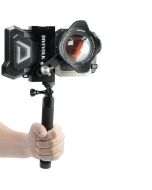
- Trays and handles improve stability when filming.
- Compatible macro and wide-angle lenses change the field of view.
- Dome ports can be used for suitable wide-angle and split-level photography.
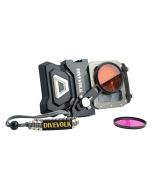
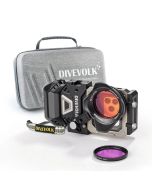
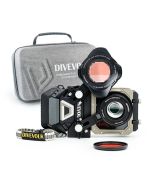
The SeaTouch 6 Pro includes a red colour-correction filter intended for shallow-water use. Additional lighting becomes useful when natural light is limited or when photographing subjects at close range.
Before purchasing an accessory, check its mounting system and compatibility with your housing. Lens attachments, filters and ports are not necessarily interchangeable between different underwater housings.
Who can use an underwater iPhone housing?
For snorkelling, an iPhone housing allows photographs and video of shallow reefs, fish and marine life. The phone remains enclosed while its camera is operated through the housing's controls.
Recreational divers can document dives within the housing's depth rating. Underwater photographers and videographers may also use their iPhone with additional lighting, lenses or stabilising equipment.
For survey work or underwater documentation, smartphone photography can provide a record of subjects and conditions. The suitability of a particular setup depends on the required image quality, operating depth and recording methods.
You can find the available models in our smartphone underwater housings category.
What should you check before taking an iPhone diving?
Before entering the water, inspect the housing seals and closing surfaces. Remove any sand, hair or dirt according to the manufacturer's instructions. Check that the iPhone and its adapter are positioned correctly. Test the housing as directed by the manufacturer, including any recommended empty-housing water test. Set up your camera, check the battery level and confirm that the controls work before closing the housing. During the dive, remain within the housing's rated depth. After use, follow the rinsing and drying instructions before opening it to remove your phone.
For further preparation, see our article on diving and snorkelling with your smartphone.
- Check the iPhone housing's maximum rated depth.
- Confirm the exact iPhone model and adapter.
- Test camera controls before snorkelling.
- Inspect the waterproof housing seals before diving.
- Check compatibility of lights, lenses and mounts.